
Elementor vs a Custom WordPress Theme: Pros, Cons and When to Use Each
Elementor and custom WordPress themes both have a place. This balanced comparison covers speed, editing freedom, maintenance and long-term cost of…
Adapt the theme you have
Your site is mostly right, but the theme will not do quite what you need. We modify layouts, templates and styling through a child theme, so changes are clean, reversible and safe from the next theme update.
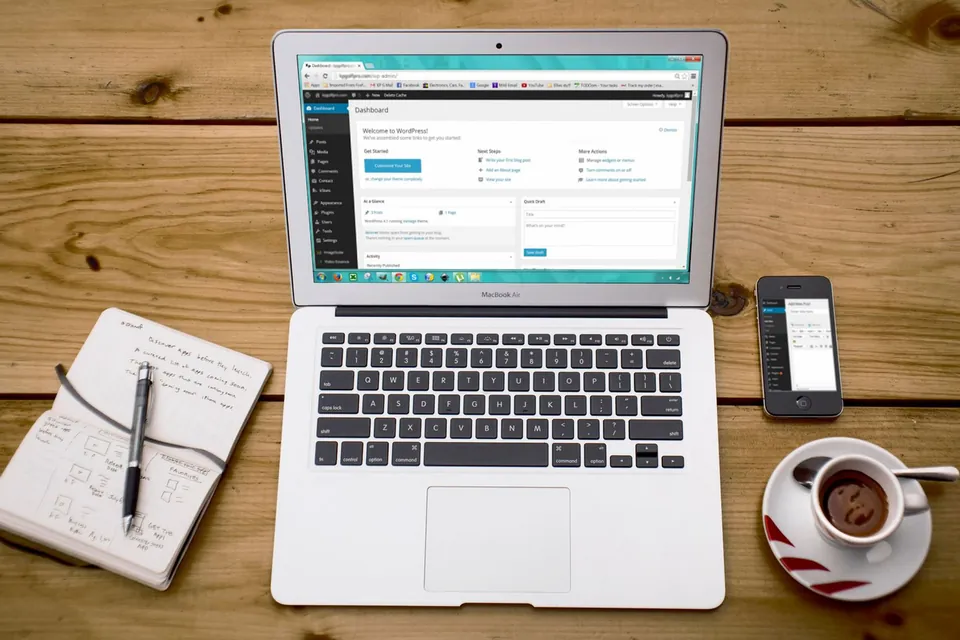
WordPress theme customization is the process of modifying an existing WordPress theme, whether purchased or free, to match a brand or add features, without building a new site. Done correctly, changes go into a child theme or custom plugin, so the parent theme can still be updated without losing the customisations.
Most WordPress sites run on a commercial or free theme. These themes cover common layouts well, yet businesses almost always need something the options panel cannot do: a different header, a custom service template, a new homepage section, or a style that matches an updated brand.
Theme customization solves those specific gaps without the cost of a rebuild. We work inside a child theme, override only the templates that need changing and keep custom functions in a small, documented file or plugin. Editing the parent theme directly, which is common, means every theme update wipes the work.
This service is for sites that are broadly sound. If the theme itself is slow, abandoned by its developer or fighting every change, a WordPress redesign or a custom WordPress build may be the better investment, and we will tell you so.
Businesses running a purchased theme that covers most needs but falls short on a few layouts, sections or features the team keeps asking for.
Companies that have updated their logo, colours or typography and need the website to reflect the new identity consistently across every page and template.
Websites where a previous developer edited the parent theme directly, so updates are being postponed for fear of losing changes nobody documented.
Marketing and design agencies that need a dependable WordPress developer to implement client changes on themes such as Astra, GeneratePress, Kadence or Divi.
A frequent request we receive starts with “the site broke after an update”. The cause is nearly always the same: someone edited the parent theme’s files or pasted code into its functions file, and the update overwrote those edits. Other sites avoid that by never updating at all, which leaves known security holes open.
Our approach keeps your changes separate from the theme vendor’s code. We first audit what has already been modified and move any existing edits into a proper child theme. New layout changes go into targeted template overrides, styles go into one organised stylesheet, and functional changes use WordPress hooks wherever possible instead of copying entire files. Everything is tested on a staging copy of your site, and we leave a short record of what changed, so the next developer, or the next update, does not undo it.

Scope
Custom header layouts, mega menus, sticky navigation, top bars with contact details and footers with structured links, adjusted for both desktop and mobile.
Modified templates for pages, blog posts, archives, search results or custom post types where the theme’s default layout does not fit your content.
Colours, fonts, buttons, spacing and form styles brought in line with your brand guidelines through theme settings and a clean child theme stylesheet.
Additional homepage or landing page sections such as service grids, comparison tables, FAQs or call-to-action bands, built to be edited from the admin panel.
Corrections for overlapping elements, oversized images, broken menus and awkward spacing that commonly appear when a theme is customised without checking mobile views.
Existing edits rescued from the parent theme and moved into a child theme, so the parent can finally be updated without losing your previous work.
Process
We check which theme and version you use, whether a child theme exists, and what has already been edited or overridden.
You share the changes you need with screenshots or references, and we confirm what is feasible within the theme and quote accordingly.
A private copy of the site is created so changes can be built and reviewed without affecting visitors or live enquiries.
Changes are made in the child theme, then you review them on staging across devices and request any refinements.
Approved changes are pushed live, caches are cleared, and we share a short note of every file and setting that was modified.
Technologies
You keep the content, structure and SEO history you already have and pay only for the changes you need.
Because changes live in a child theme, theme and security updates can be applied without wiping your work.
Styles are set once in a central place, so every page and template reflects the same look.
Documentation means any developer can see what was customised and why, avoiding guesswork later.
Pricing
Choose a starting point — we confirm the exact scope and price in a written proposal.
A clean, fast WordPress site on a well-built theme.
Custom quote based on scope
Most popular
A custom-designed WordPress site your team can manage easily.
Custom quote based on scope
A fully custom theme with tailored functionality.
Custom quote based on scope
Every project is scoped individually. Request a quote for an exact price — final scope and cost are confirmed in a written proposal.
| Feature | Starter | Business | Premium |
|---|---|---|---|
| Pages | 5 | 10 | 20+ |
| Theme | Customised theme | Custom design | Fully custom theme |
| Speed optimization | Basic | Advanced | Advanced |
| SEO setup | Basic | Advanced | Advanced |
| Blog | Yes | Yes | Yes |
| Custom plugin work | No | Limited | Yes |
| Support | Basic | Priority | Premium |
FAQs
Still have a question?
Ask us directly — you’ll get a straight answer from the team that does the work.
A child theme is a small theme that inherits everything from your main theme but holds your own changes separately. When the main theme updates, the child theme’s files are untouched, so your customisations survive. Without one, edits made directly to theme files are overwritten on the next update.
Yes. We regularly work with commercial themes from ThemeForest and other marketplaces. We check the theme’s licence, version and support status first, because an abandoned theme can be risky to build on. If it is still maintained, we customise it through a child theme and the theme’s own hooks where available.
Customise if the site is broadly fast, secure and well structured and you need specific changes. Consider a redesign if the theme is outdated, no longer supported, slow even after optimization, or requires workarounds for most changes. We will review your site and recommend the option that makes more sense for your budget.
Not negatively, if handled carefully. We keep URLs, headings and content intact unless you ask to change them, and we avoid adding heavy scripts that slow pages down. Layout changes can even help, for example by improving heading structure or mobile usability, which supports your wider SEO work.
Pricing depends on the number and complexity of changes and the state of the existing theme. A few styling tweaks are a small task, while new templates or rescuing old edits take longer. Send us a list of changes with screenshots, and we will reply with a clear quote and scope.
Elementor and custom WordPress themes both have a place. This balanced comparison covers speed, editing freedom, maintenance and long-term cost of…
A WordPress theme shapes your site’s speed, flexibility and upkeep for years. Here is how to judge a theme beyond its demo, which red flags to avoid…
WordPress’s built-in block editor has matured, while page builders like Elementor still offer visual freedom. Here is how they compare on speed…
Client testimonials
DA WebTech Innovations ne hamari website ko professional aur modern look diya. Team ka response fast tha aur requirements ko achhe se samjha. Highly recommended for website design services.
Get in touch
Share a few details about your business and what you need. The DA WebTech team replies within one business day with questions, ideas and a clear next step — no obligation.
Quick enquiry
Leave your details and we’ll call or WhatsApp you within one business day.