
Core Web Vitals Explained for Business Owners (LCP, INP and CLS)
Core Web Vitals measure how fast your main content loads, how quickly pages respond and how stable they stay. A plain-English guide to LCP, INP and…
Diagnose first, then optimise
Installing another caching plugin rarely fixes a slow site. We profile your WordPress install, find the real bottlenecks and fix them at the source, with before-and-after measurements you can verify.
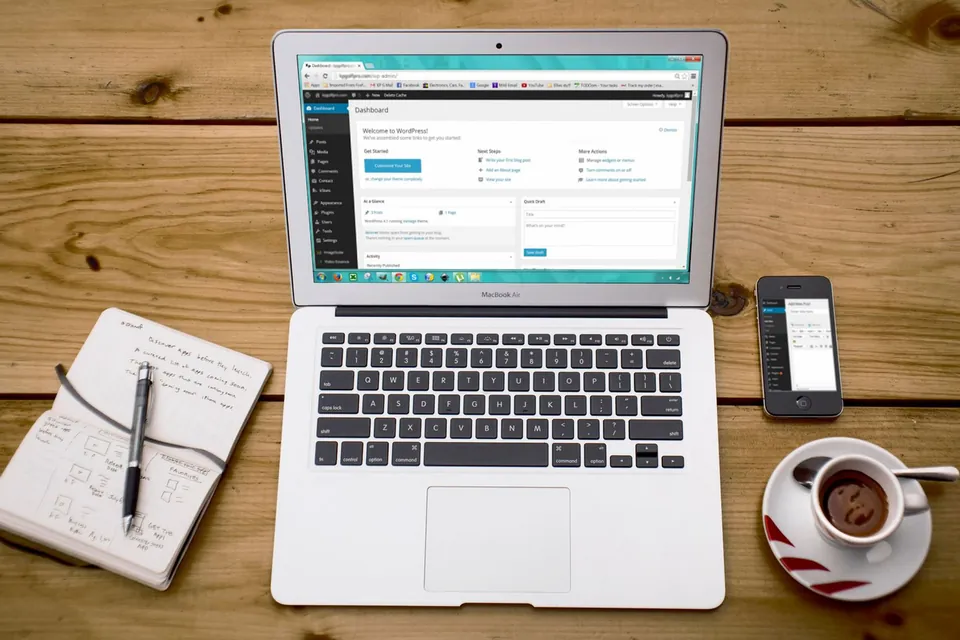
WordPress speed optimization is the process of diagnosing and reducing what makes a WordPress site load and respond slowly, such as oversized images, excess plugins, render-blocking scripts, uncached pages and slow database queries. Its practical goal is better real-user performance, typically measured with Google’s Core Web Vitals: LCP, INP and CLS.
Page speed affects how visitors experience your site and is one of many signals Google considers. Google measures real-user experience through Core Web Vitals: Largest Contentful Paint (LCP), Interaction to Next Paint (INP) and Cumulative Layout Shift (CLS). A page is considered “good” when LCP is 2.5 seconds or less, INP is 200 milliseconds or less and CLS is 0.1 or less, measured at the 75th percentile of visits.
Slow WordPress sites rarely have a single cause. Common culprits include:
We identify which of these applies to your site and fix them in order of impact. For broader crawl and indexing issues, our technical SEO service picks up where speed work ends.
Website owners whose Search Console Core Web Vitals report shows URLs marked “poor” or “needs improvement”, particularly on mobile devices.
Companies paying for Google or Meta traffic that lands on slow pages, where every extra second of loading time risks wasting the click they paid for.
Sites built with Elementor, Divi, WPBakery or similar builders that have accumulated heavy layouts, add-ons and animations over the years.
Online stores with slow product, cart or checkout pages caused by large catalogues, heavy extensions and uncached dynamic requests that need careful handling.
The usual response to a slow WordPress site is to install an optimization plugin, enable every setting and hope. Sometimes the score improves briefly. Often something breaks instead: a menu stops working because scripts were deferred blindly, a form fails because a page was cached, or layout shift gets worse. And the real cause, perhaps a 2 MB hero image or a plugin running a slow query on every request, stays in place.
We start by measuring. We look at field data from Search Console and the Chrome UX Report where available, lab tests from Lighthouse and WebPageTest, and server-side profiling with Query Monitor to see what WordPress is doing on each request. From that we produce a prioritised list of fixes. Typical work includes replacing or removing heavy plugins, optimising images and fonts, controlling which assets load on which pages, configuring page and object caching correctly, cleaning the database and, where needed, advising on hosting. Every change is tested on staging before going live.

Scope
Review of Core Web Vitals field data, Lighthouse and WebPageTest results, waterfall charts and server response times to locate the true bottlenecks.
Compression, WebP or AVIF conversion, correct sizing, lazy loading below the fold and priority hints for the main above-the-fold image.
Unused CSS and JavaScript removed or loaded only where needed, render-blocking resources deferred safely, and third-party tags reviewed for necessity.
Plugins and theme functions profiled for slow database queries and excessive requests, with heavy plugins replaced by lighter alternatives or custom code.
Database cleanup, autoloaded options trimmed, page caching configured, and object caching with Redis where the hosting environment supports it.
Assessment of PHP version, server resources, HTTP/2 or HTTP/3, compression and CDN setup, with clear advice if the hosting is the limiting factor.
Process
We record current field and lab metrics for key templates such as the homepage, a service page, a blog post and, for stores, product and category pages.
We profile plugins, queries, assets and server response to identify what is slowing each template, and share a prioritised fix list.
Fixes are applied to a staging copy of your site and checked for broken layouts, forms, menus and tracking.
Approved changes go live and we repeat the same tests so you can compare before and after under the same conditions.
Because Core Web Vitals field data updates over a rolling 28-day window, we review Search Console again after it reflects the changes.
Technologies
Pages that appear and respond quickly are easier to use, particularly for mobile visitors on patchy networks.
Faster landing pages mean fewer visitors leave before your page has a chance to load.
Healthier Core Web Vitals support your wider SEO efforts, alongside content and relevance.
Addressing root causes means performance is less likely to slide back after the next plugin update.
Pricing
Choose a starting point — we confirm the exact scope and price in a written proposal.
A clean, fast WordPress site on a well-built theme.
Custom quote based on scope
Most popular
A custom-designed WordPress site your team can manage easily.
Custom quote based on scope
A fully custom theme with tailored functionality.
Custom quote based on scope
Every project is scoped individually. Request a quote for an exact price — final scope and cost are confirmed in a written proposal.
| Feature | Starter | Business | Premium |
|---|---|---|---|
| Pages | 5 | 10 | 20+ |
| Theme | Customised theme | Custom design | Fully custom theme |
| Speed optimization | Basic | Advanced | Advanced |
| SEO setup | Basic | Advanced | Advanced |
| Blog | Yes | Yes | Yes |
| Custom plugin work | No | Limited | Yes |
| Support | Basic | Priority | Premium |
FAQs
Still have a question?
Ask us directly — you’ll get a straight answer from the team that does the work.
Not necessarily, and we would be cautious of anyone who promises it. The PageSpeed score is a lab test that varies between runs and does not always reflect real visitors. We focus on measurable improvements to Core Web Vitals and real-user loading experience, and share before-and-after results so you can judge the improvement yourself.
Caching helps, but it only addresses part of the problem. It does not shrink oversized images, remove unused scripts, fix slow database queries or improve interaction delays caused by heavy JavaScript. A caching plugin configured carelessly can also break forms, carts or logged-in areas, so we configure it as part of a wider plan.
Sometimes. If a plugin is causing a significant slowdown, we will explain the impact and suggest options: a lighter alternative, a small piece of custom code, or loading it only on the pages that need it. Nothing your business relies on is removed without your agreement.
Not always. Many sites improve substantially through image, plugin and caching work alone. However, if the server response time stays high after optimization, or the plan lacks resources or a current PHP version, hosting becomes the bottleneck. In that case we explain why and suggest what to look for in a better plan.
Lab tools such as PageSpeed Insights show changes immediately after deployment. Core Web Vitals field data in Search Console is based on real visitors over a rolling 28-day period, so it typically takes about four weeks for the report to fully reflect the improvements.

Core Web Vitals measure how fast your main content loads, how quickly pages respond and how stable they stay. A plain-English guide to LCP, INP and…
WordPress speed optimization is the process of making a WordPress site load and respond faster. This step-by-step guide covers hosting and PHP…
A clear monthly and quarterly WordPress maintenance checklist covering updates, backups, security, speed, forms, broken links and SEO health, with…
Client testimonials
DA WebTech Innovations ne hamari website ko professional aur modern look diya. Team ka response fast tha aur requirements ko achhe se samjha. Highly recommended for website design services.
Get in touch
Share a few details about your business and what you need. The DA WebTech team replies within one business day with questions, ideas and a clear next step — no obligation.
Quick enquiry
Leave your details and we’ll call or WhatsApp you within one business day.