
Elementor vs a Custom WordPress Theme: Pros, Cons and When to Use Each
Elementor and custom WordPress themes both have a place. This balanced comparison covers speed, editing freedom, maintenance and long-term cost of…
Visual editing, built cleanly
Your marketing team wants to build landing pages without waiting for a developer. We set up Elementor the way it should be: a structured design system, reusable templates and no pile of overlapping add-on packs.
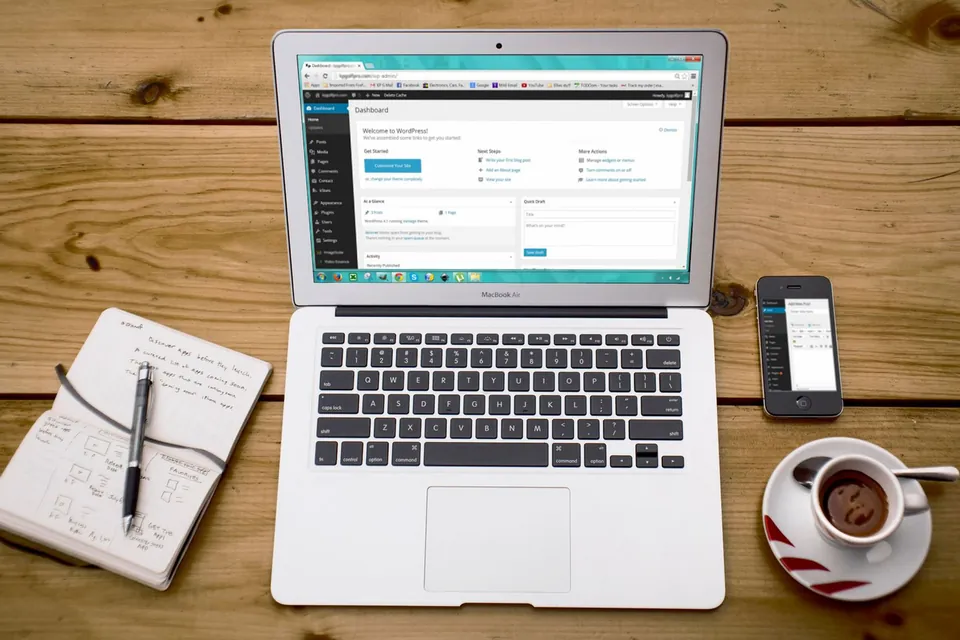
Elementor development is designing and building WordPress pages with the Elementor visual page builder, so that non-developers can edit layouts by drag and drop. Professional Elementor development goes beyond placing widgets: it sets up global colours and fonts, reusable templates, Flexbox containers and a restrained add-on stack to keep pages consistent and reasonably fast.
Elementor is one of the most widely used page builders for WordPress. Its strength is freedom: anyone can drag sections around and see the result immediately. Its weakness is the same freedom. Without structure, every page ends up with slightly different fonts, spacing set by hand, and three add-on packs loaded for one widget each.
We build Elementor sites as a system rather than a set of individually styled pages:
If your site does not need visual editing, our native WordPress development is usually lighter. When drag-and-drop editing matters to your team, a well-structured Elementor build is a sound choice.
Teams that launch campaign landing pages often and need to build or tweak layouts themselves, without filing a development request for every headline or section change.
Owners who want to edit their own website visually, see exactly what visitors will see, and avoid touching code or unfamiliar block editor settings.
Businesses with an existing Elementor site that has grown inconsistent and slow, and needs restructuring with global styles, templates and fewer add-ons.
Companies or designers with completed Figma or Adobe XD designs who need them translated accurately into editable, responsive Elementor templates.
Elementor gets blamed for slow websites, but the builder is rarely the only cause. The usual culprits are how it is used: deeply nested sections, styles set individually on every widget, large background images, animations on everything, and several add-on packs installed for one or two widgets each. Over time nobody knows which add-on powers which section, and updates become risky.
Our Elementor work follows a few strict rules. We define the design system in Site Settings first, so changing a brand colour updates every page. Layouts use Flexbox containers, which produce less markup than the older section and column structure. Headers, footers and post layouts are built with Theme Builder templates rather than repeated per page. We use Elementor’s own widgets wherever possible and add a third-party add-on only when it is well maintained and solves a clear need. Performance features such as optimised asset loading are switched on and checked before launch.

Scope
Brand colours, fonts, button styles and spacing configured centrally, so editors pick from approved options instead of guessing values on each page.
Header, footer, single post, archive and 404 templates built once, with display conditions so the right layout appears automatically across the site.
Saved hero banners, feature grids, testimonials, FAQs and call-to-action blocks your team can drop into new pages while staying on brand.
Figma or Adobe XD designs translated into responsive Elementor layouts, with tablet and mobile breakpoints adjusted deliberately rather than left to chance.
Elementor Pro forms with spam protection and email delivery, plus popups for offers or lead capture configured with sensible triggers and frequency.
Optimised asset loading, lazy-loaded media, correctly sized images and font handling configured so the builder adds as little weight as possible.
Process
We learn who will edit the site, what they change most often, and which page types need to be fast to create.
Global colours, typography, buttons and spacing are configured in Elementor Site Settings based on your brand or approved design.
Theme Builder templates come first, followed by key pages assembled from reusable containers and saved sections.
Every page is reviewed on mobile and tablet breakpoints, and performance settings are tested on real devices.
We show your team how to build new pages from the section library and which settings to leave alone.
Technologies
Your team can build landing pages from ready sections without waiting in a development queue.
Global styles keep colours, fonts and buttons uniform even when several people edit the site.
A restrained add-on stack means fewer conflicts and smoother updates over the life of the site.
Routine layout changes become in-house tasks rather than billable developer hours.
Pricing
Choose a starting point — we confirm the exact scope and price in a written proposal.
A clean, fast WordPress site on a well-built theme.
Custom quote based on scope
Most popular
A custom-designed WordPress site your team can manage easily.
Custom quote based on scope
A fully custom theme with tailored functionality.
Custom quote based on scope
Every project is scoped individually. Request a quote for an exact price — final scope and cost are confirmed in a written proposal.
| Feature | Starter | Business | Premium |
|---|---|---|---|
| Pages | 5 | 10 | 20+ |
| Theme | Customised theme | Custom design | Fully custom theme |
| Speed optimization | Basic | Advanced | Advanced |
| SEO setup | Basic | Advanced | Advanced |
| Blog | Yes | Yes | Yes |
| Custom plugin work | No | Limited | Yes |
| Support | Basic | Priority | Premium |
FAQs
Still have a question?
Ask us directly — you’ll get a straight answer from the team that does the work.
Elementor adds some overhead, but a carefully built Elementor site can still meet Core Web Vitals targets. Most slow Elementor sites suffer from nested layouts, oversized images, too many add-ons and unoptimised fonts. Using Flexbox containers, global styles, optimised asset loading and good hosting makes a large difference.
For most business sites, yes. Elementor Pro adds the Theme Builder for headers, footers and templates, plus forms, popups and dynamic content. The free version is fine for simple pages, but without Pro you often end up adding several third-party plugins to fill the gaps, which defeats the purpose.
Yes. We audit the existing build, set up global styles, convert repeated headers and footers into templates, migrate older sections to containers where practical and remove unnecessary add-ons. Depending on the state of the site, a structured cleanup can be more economical than starting again.
Choose Elementor if visual drag-and-drop editing is important to your team and you value design freedom. Choose the block editor with custom blocks if you want the lightest possible site and editors mostly update content within fixed layouts. We are comfortable with both and will recommend based on how your team works.
Yes. We translate Figma or Adobe XD designs into Elementor using global styles and containers, so the result is editable rather than a rigid copy. We check each breakpoint manually and flag any design elements that would need custom code, so you know about them before development begins.
Elementor and custom WordPress themes both have a place. This balanced comparison covers speed, editing freedom, maintenance and long-term cost of…
WordPress’s built-in block editor has matured, while page builders like Elementor still offer visual freedom. Here is how they compare on speed…
Client testimonials
DA WebTech Innovations ne hamari website ko professional aur modern look diya. Team ka response fast tha aur requirements ko achhe se samjha. Highly recommended for website design services.
Get in touch
Share a few details about your business and what you need. The DA WebTech team replies within one business day with questions, ideas and a clear next step — no obligation.
Quick enquiry
Leave your details and we’ll call or WhatsApp you within one business day.